

Pencasting
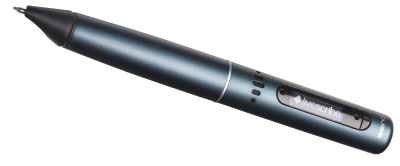
I bring a Livescribe Pulse smartpen (https://www.livescribe.com) to classes. The Livescribe Pulse allows me to record both what I say and what I draw/write on special paper. This recording can then be shared as an embedded Flash video, exported as a PDF, or exported as an audio file. The term that Livescribe has coined for this process is “pencasting.” The Livescribe Pulse comes in two versions: 1GB or 2GB capacity. The 2GB version has the capacity to store up to 200 hours of audio. The pen requires special dot paper to record and digitize what is written. The dot paper can be purchased in a variety of formats (notebooks, journals, notepads), or printed via certain color laser printers. Livescribe provides free hosting services to share pencast recordings. The advantage of using the Livescribe Pulse is that all I need to carry with me is the pen and paper. If a classroom has an overhead projector, I can provide an ad-hoc presentation or lesson and then share this as a video after the class. The three-stage process is as follows:
 Labels: livescribe, pencast, pulse |
posted by James Moore at 8:20 AM 
Comments on "Pencasting"
post a comment