
JavaScript is usually placed in the HEAD or BODY of the document and has the following basic format:
<SCRIPT LANGUAGE="JavaScript">
your
JavaScript code goes here
</SCRIPT>
Here is a simple JavaScript program embedded in HTML :
<HTML>
<HEAD>
<TITLE> A Beginning Script </TITLE>
</HEAD>
<BODY>
<SCRIPT LANGUAGE="JavaScript">
document.write ("Welcome to the wonderful world of JavaScript");
</SCRIPT>
</BODY>
</HTML>
You could also use an external
file:
<SCRIPT LANGUAGE="JavaScript"
SRC="YourFile.js">
These
lines up until </script> will be ignored when you use an
external file.
</SCRIPT>
You can use the
<NOSCRIPT> tag to generate messages to browsers that don't support JavaScript.
(Stuff in there
is ignored by browsers that support JavaScript).
<NOSCRIPT>
Your browsers does not support JavaScript (So I can't welcome you to the
JavaScript
world.
</NOSCRIPT>
<BODY>
<SCRIPT LANGUAGE="JavaScript">
document.write ("Welcome to the wonderful world of JavaScript");
</SCRIPT>
</BODY>
The output of JavaScript statements is taken as HTML input...
<HTML>
<HEAD>
<TITLE> A Beginning Script </TITLE>
</HEAD>
<BODY>
<SCRIPT LANGUAGE="JavaScript">
document.write ("<FONT Size=4>JavaScript commands are interpreted first</FONT>");
document.write ("<BR> <FONT COLOR=BLUE>JS output often generates
HTML</FONT>");
</SCRIPT>
</BODY>
</HTML>
JavaScript gives you access to much more information and
data than with HTML alone.
You can access many elements about your document.
Here is a last
modified time example
<html>
<head><title>Document Object </title></head>
<body bgcolor="#CCCCFF">
<center>
<h2> Document Object </h2>
<script language="JavaScript">
document.writeln("This page was last modified on "+document.lastModified);
</script>
</center>
</body>
</html>
Like Java JavaScript is object-oriented.
Objects have
JavaScript can be used to do interactive
highlighting.
It have the capability to enhace HTML to detect:
- OnMouseOut
-- mouse is not over object
- OnMouseOver
-- mouse is over object
For example remember how to do a clickable image?
<a href="http://www.depaul.edu/~dlash">
<img SRC="BlueClick.JPG" alt="Blue Click"border=0></a>
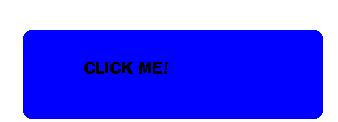
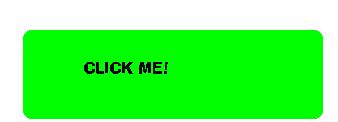
Suppose we have 2 images:
Can enahance this HTML code to detect mouse over and not over:
<a href="http://www.depaul.edu/~dlash" OnMouseOver="blue.src='GreenClick.JPG'" OnMouseOut="blue.src='BlueClick.JPG'">Here is the complete code:
<img name="blue" src="BlueClick.JPG" border=0 alt="Blue Click" height=122 width=338></a>
<head>
<title>junk</title>
</head>
<body>
<HR>
<a href="http://www.depaul.edu/~dlash"><img name="blue" src="BlueClick.JPG"
border=0 alt="Blue Click" height=122 width=338></a>
<HR>
<a href="http://www.depaul.edu/~dlash" OnMouseOver="blue.src='GreenClick.JPG'"
OnMouseOut="blue.src='BlueClick.JPG'">
<img name="blue" src="BlueClick.JPG"
border=0 alt="Blue Click" height=122 width=338></a>
</body>
</html>
JavaScript within Netscape gives you access to a debug environment ... Just type JavaScript:
Try it for the following linkHere is what you get:
JavaScript Error:
http://www.depaul.edu/~dlash/website/lastmodified.html, line 7:unterminated string literal.
document.writeln("This page was last modified on
......................^
The actual line looks like:
document.writeln("This page was last modified on
"+document.lastModified);
A very simple JavaScript adds a status bar message as you look at a link:
<A HREF="http://www.disney.com"
onMouseOver="window.status='Click Here To Visit The Mouse'; return true;">Disney
</A>
Still a very simple JavaScript opens a new window when clicked:
<A HREF="javascript:openWin('www.stockmaster.com');" > Stockmaster </A>
This code actaully transfer control to a section of HTML with the openWin function
function openWin() {
aWindow=window.open(URL,
"thewindow", "toolbar=no, width=350, height=400, status=no, scrollbar=yes,
resize=no, menubar="no");
}
Here is the whole document:
<HTML>
<HEAD>
<SCRIPT LANGUAGE="JavaScript">
function openWin() {
aWindow=window.open('http://www.stockmaster.com',"thewindow","toolbar=no,width=350,height=400,status=no,
scrollbar=yes,resize=no,menubar="no");
}
</SCRIPT>
</HEAD>
<BODY>
<A HREF="javascript:openWin();"
> Stockmaster </A>
</BODY>
</HTML>
Click
For An example:
Simple Methods to Open Another Window ...
Here is another opening up new window
example
<html></html>
<head><title>Event Object</title></head>
<BODY><center>
<pre>
<h2>Event Object Example</h2>
<script language="JavaScript">function clicking(e) {
x = open("http://www.stockmaster.com", "Win2", "width=375,height=450, scrollbar=no, resizable=no");}
</script>
<form>
<input type="button" value="New Window For Stockmaster" onClick="clicking(event)">
</form>
</pre>
</center>
</body>
JavaScript the following set of events:
| Event Handler | Objects | Called when |
| onClick | button checkbox, link,
radio, reset, submit |
The user clicks the mouse botton on top of the object. |
| onSubmit | form | User click submit button. The function gets invoked before the form data is sent. If function returns false can prevent form from being submitted. |
| OnMouseOver | over a link | User moves mouse over a link |
| onFoucs | select, test, textarea | The user first clicks on object |
| onLoad | Window | Document within window is loaded |
| onUnload | Window | Document is unloaded. as user leave page. |
| onSelect | Text and testareas | Text areas are highlights. |
A JavaScript Example
Look at the following example
of an onFocus event:
<head>
<title> Text Input With javaScript </TITLE>
</head>
<body>
<script language="JavaScript">
var count=0;
function InTheArea() {
if (count < 1 ) {
alert("Please make sure to enter your last name then your first name");
count++;
}
}
</SCRIPT>
<h1>Course Material Survey</h1>
<form METHOD="post" ACTION="mailto:dlash@condor.depaul.edu">
<br>Please Enter Your Full Name <input Type="Text" SIZE=20 MAXLENGTH=30 Name="fullname" onFocus="InTheArea() ">
<p><input TYPE="reset" VALUE="Erase"><input TYPE="submit" VALUE="Submit">
</body>
</html>
JavaScript supports many different types of statements
found in traditional programming languages, like
if, do, and functions. It also has special methods to
detect and react to different events that the end-user
might do. Look at the following
example:
<html>
<head><title> Event Handling Example </title>
<center>
<h2>Event Handling Example</h2>
<script language="JavaScript">
var vcount=0
function justDoIt() {
vcount++;
if (vcount >= 3) {
alert("Are you going to click it or what?");
vcount=0;
}
}
</script>
<body>
<a href="http://www.condor.depaul.edu/~dlash" onMouseOver="justDoIt()" >
David Lash's DePaul Home Page!</a>
</body>
</html>
Beyond the Scope Of The Class ...
Using JavaScript you can get, and example all input put into the forms.Here is an example that has details beyond the scope of the class
<HTML>
<HEAD>
<TITLE> Validating A Field </TITLE>
<!-- If the user ignores to input a name or a password,
the program pops up a JavaScript alert that tells
the user to input the proper items, and put the
focus back into either the empty text field or the
empty password field.Otherwise, "Message Sent!" is
given as an alert -->
<SCRIPT LANGUAGE="JavaScript">function sending(form) {
if (form.agent.value == "") {
// if the textfield is not filled, pop up an alert
alert("You must tell us your top secret code name!");
form.agent.focus();
} else { // else check the password field
if (form.passwd.value == "") {
// if the password field is not filled, pop up alert
alert("You must give the secret password!");
form.passwd.focus();
} else //both textfield and password field are filled
alert ("Message Sent!");
}
}</SCRIPT>
</HEAD><BODY bgcolor="#CCFFFF">
<!-- this form creates a text field, and a password field, -->
<FORM METHOD="post" ACTION="mailto:dlash@condor.depaul.edu">>
<H2 align=center>Top Secret Access</H2>
<B>User Name:</B>
<!-- creating the text field -->
<INPUT TYPE="text" NAME="agent" VALUE="" SIZE=30><BR>
<B>Password:    </B><!-- creating the password field -->
<INPUT TYPE="password" NAME="passwd" VALUE=""><BR>
<HR align="center" width="85%"><!-- creating a button that will validate the form and
send the message -->
<INPUT TYPE="submit" NAME="send" VALUE="Send It!"
onClick="sending(this.form)"></FORM>
</CENTER>
</BODY>
</HTML>
Checking For Browsers
You have access top the type of browser that the calling user has:
Here is an example:
<HTML>
<HEAD><TITLE>Plugin Detection</TITLE></HEAD>
<BODY>
<SCRIPT LANGUAGE="JavaScript">
document.write("<h2><center>Detection of <i>Browser</i> </center></h2>");
if (navigator.appName=="Netscape") {
document.write("Netscape");
} else {
document.write("Browser=", navigator.appName);
}
</SCRIPT>
</BODY>
</HTML>
<html>Here is a supped up example.
<title>Image Animation with Start and Stop Buttons</title><head>
<script language="JavaScript">
i=1;
timeout_id=null;
function animate(){
i++;
document.images[0].src="animate"+i+".gif";
if(i == 5) i=0;
timeout_id=setTimeout("animate()", 500);
}
</script>
</head><body>
<center>
<h2> Image Animation with Start and Stop Buttons </h2>
<br><br>
<img src="animate1.gif">
<br><br>
<form>
<input type=button value="Start" onClick="if (timeout_id==null)
animate()">
<input type=button value="Stop" onClick="if (timeout_id)
clearTimeout(timeout_id); timeout_id=null;">
</form>
</center></body></html>
JavaScript On The WWW
There are several JavaScript sites on the Internet
with code for things like
- calculators
- digital Clocks
- games
- buttons
- other effects
You can go to these sites and copy code and paste them into your pages.
Here is a good site http://javascript.internet.com/